Picture this: A potential customer walks down the street, pulls out their phone, and searches “coffee shop near me” or “best tacos nearby.” Within seconds, Google Maps displays a curated list of nearby businesses, complete with ratings, photos, and directions. If your restaurant or shop isn’t on that list, you’ve just lost a customer to a competitor who took the time to claim their digital real estate.
Getting your business on Google Maps for local businesses isn’t just about visibility it’s about survival in today’s mobile-first world. Over 5 billion people use Google Maps monthly, and 76% of consumers who conduct local searches visit a physical location within 24 hours. For restaurants and retail shops, this represents an enormous opportunity to capture customers at the exact moment they’re ready to buy.
This comprehensive guide will walk you through the complete process of getting your restaurant or shop prominently featured on Google Maps. You’ll learn the step-by-step setup process, discover optimization strategies that put you ahead of competitors, and understand why Google Maps visibility has become non-negotiable for local business success. Whether you’re opening your first location or managing multiple establishments, these proven strategies will help you dominate local search results and drive more foot traffic to your doors.
Why Google Maps Matters More Than Ever for Local Businesses
Google Maps has evolved far beyond simple navigation. Today, it serves as the primary discovery platform for local businesses, functioning as a digital storefront that potential customers encounter before they ever set foot in your establishment.
The Mobile Revolution’s Impact
The shift to mobile search has fundamentally changed how customers find local businesses. Consider these compelling statistics:
- 88% of searches for local businesses on mobile result in a call or visit within 24 hours
- 50% of consumers who conducted a local search on their smartphone visited a store within a day
- 78% of location-based mobile searches result in offline purchases
- Mobile searches for “where to buy” + “near me” have grown by over 200% in recent years
For restaurants specifically, Google Maps integration with food delivery services and reservation platforms means your listing serves as a comprehensive hub for customer interaction. Retail shops benefit from features like product inventory displays, special offers, and seasonal hours updates that keep customers informed and engaged.
The Trust Factor
Google Maps listings carry implicit trust with consumers. A business that appears prominently on Google Maps with positive reviews and complete information signals legitimacy and professionalism. Conversely, businesses absent from Google Maps often struggle with credibility, particularly among younger consumers who expect digital presence as a baseline business requirement.
Research indicates that 87% of consumers read online reviews for local businesses, and Google reviews directly integrated into Maps results heavily influence purchasing decisions. Your Google Maps presence becomes your first impression, customer service platform, and marketing tool combined.
Understanding Google Business Profile: Your Gateway to Maps
Google Business Profile (formerly Google My Business) serves as the foundation for your Google Maps presence. This free tool allows you to manage how your restaurant or shop appears across Google Search and Maps, making it the most critical component of your local digital strategy.
The Anatomy of a Google Maps Listing
A complete Google Maps listing displays multiple elements that influence customer decisions:
Business Name and Category: Your official business name and primary category (Restaurant, Retail Store, Clothing Store, etc.) help customers understand what you offer at a glance.
Address and Phone Number: Accurate contact information enables customers to visit or call, while also helping Google understand your exact location for relevant search queries.
Business Hours: Current hours, including special holiday schedules, prevent customer frustration and missed opportunities.
Photos and Virtual Tours: Visual content showcases your atmosphere, food, products, and space, significantly influencing customer perception and visit likelihood.
Reviews and Ratings: Customer feedback and star ratings provide social proof and directly impact your local search rankings.
Posts and Updates: Regular updates about specials, events, new products, or seasonal changes keep your listing fresh and engaging.
Categories That Matter for Restaurants and Shops
Selecting the right business categories significantly impacts your visibility for relevant searches. Google allows one primary category and multiple secondary categories, so choose strategically.
Restaurant Category Examples:
- Primary: Restaurant
- Secondary: Italian Restaurant, Pizza Restaurant, Family Restaurant, Fine Dining Restaurant
Retail Category Examples:
- Primary: Clothing Store
- Secondary: Women’s Clothing Store, Boutique, Fashion Accessories Store
Choose categories that accurately reflect your business while considering how customers might search for your services. A bakery that also serves coffee might select “Bakery” as primary and “Coffee Shop” as secondary to capture both search intents.
Step-by-Step Guide: Getting on Google Maps
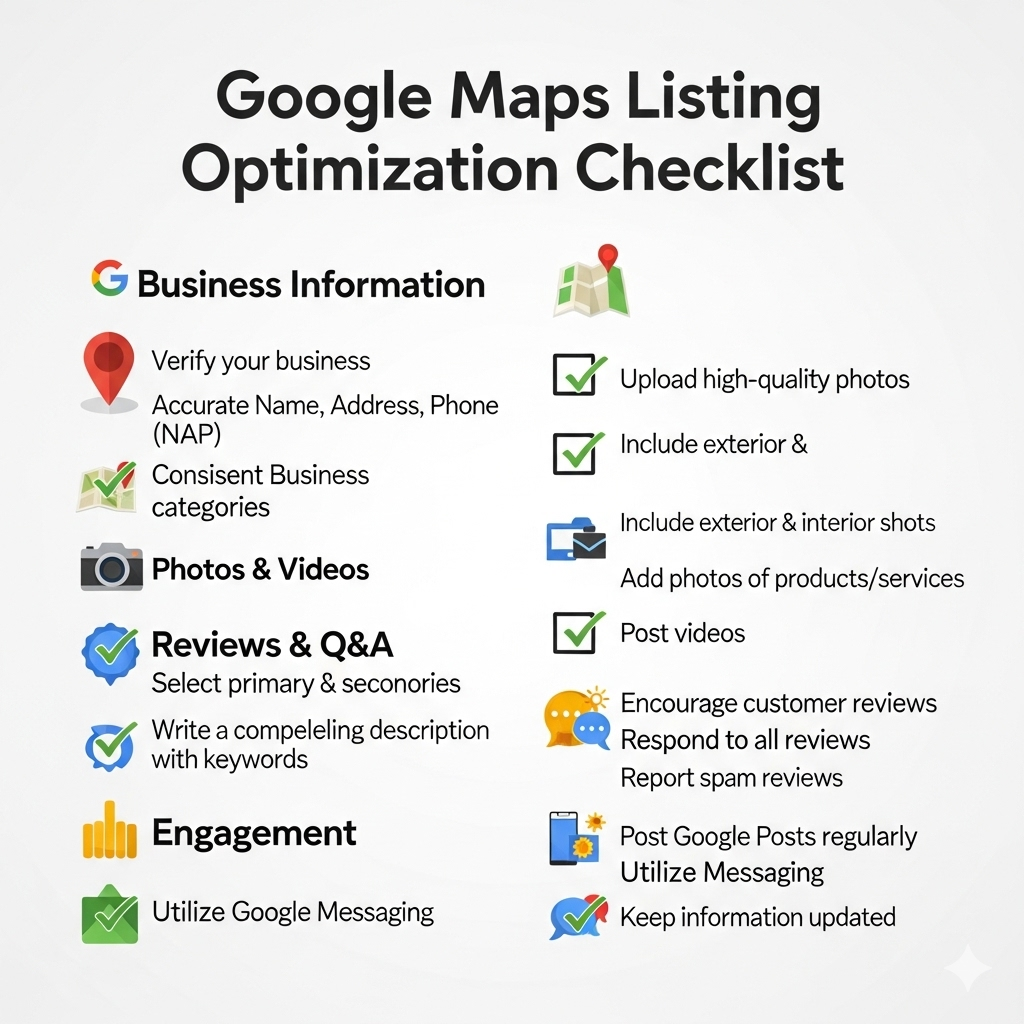
Step 1: Claim or Create Your Google Business Profile
For New Businesses:
Navigate to business.google.com and click “Manage now.” Enter your business name exactly as it appears on your signage and official documents. If Google suggests an existing listing, verify it’s not your business before creating a new profile.
Input your complete business address, ensuring accuracy down to apartment numbers or suite designations. Select your primary business category from Google’s predefined list, choosing the most specific option available.
Add your phone number, website URL, and business hours. Include special hours for holidays or seasonal changes that affect your schedule.
For Existing Listings:
Search for your business on Google Maps or Google Search. If a listing exists, click “Claim this business” or “Own this business?” Follow the verification prompts to gain control of the listing.
Many businesses discover existing listings created by customers or Google’s automated systems. These listings often contain incomplete or inaccurate information, making claiming and updating them essential for proper representation.
Step 2: Verification Process
Google requires verification to prevent fraudulent listings and ensure accuracy. Verification methods include:
Postcard Verification: Google mails a postcard with a verification code to your business address. This process typically takes 5-14 days and remains the most common verification method for brick-and-mortar businesses.
Phone Verification: Available for some businesses, Google calls your listed phone number with an automated verification code.
Email Verification: Rarely offered, usually for businesses with established Google Workspace accounts.
Instant Verification: Sometimes available for businesses Google can automatically verify through other signals.
During verification, you can continue optimizing your profile, but changes won’t appear publicly until verification completes.
Step 3: Complete Your Business Information
Essential Information Fields:
Business Description: Write a compelling 750-character description highlighting what makes your restaurant or shop unique. Include your specialties, atmosphere, and key differentiators without keyword stuffing.
Example for a restaurant: “Family-owned Italian restaurant serving authentic Neapolitan pizza and fresh pasta since 1985. Our wood-fired oven and imported San Marzano tomatoes create the perfect traditional flavors in a cozy, welcoming atmosphere.”
Attributes: Select relevant attributes that help customers understand your offerings and accessibility. Restaurants might choose “Outdoor seating,” “Takes reservations,” or “Good for groups.” Retail shops could select “Women-owned,” “Wheelchair accessible,” or “In-store shopping.”
Services: List specific services you offer, such as “Takeout,” “Delivery,” “Curbside pickup” for restaurants, or “Personal shopping,” “Gift wrapping,” “Alterations” for retail stores.
Payment Methods: Specify accepted payment options, including mobile payments, credit cards, and cash policies.
Step 4: Add High-Quality Photos
Visual content significantly impacts customer perception and engagement. Google recommends specific photo types for optimal performance:
Exterior Photos: Show your storefront, signage, and surrounding area to help customers locate you easily. Include photos from different angles and times of day if lighting varies significantly.
Interior Photos: Showcase your dining room, retail floor, or service areas. Highlight unique design elements, cleanliness, and atmosphere.
Product Photos: For restaurants, include appetizing photos of signature dishes, seasonal specials, and popular items. Retail shops should display best-selling products, new arrivals, and unique inventory.
Team Photos: Introduce staff members and ownership to create personal connections with potential customers.
Menu or Product Displays: Upload clear, current menus for restaurants or product catalogs for retail businesses.
Photo Quality Standards:
- Minimum resolution: 720px × 720px
- Maximum file size: 10MB
- Format: JPG or PNG
- Well-lit, in-focus images without heavy filters or watermarks
Optimization Strategies for Maximum Visibility
Keyword Integration for Local Search
While Google Business Profiles don’t require extensive keyword optimization like websites, strategic keyword use in your business description and posts can improve visibility for relevant searches.
Natural Keyword Integration:
Instead of cramming keywords unnaturally, focus on describing your business in terms customers use when searching. A pizza restaurant might naturally include phrases like “authentic Italian pizza,” “family dining,” or “fresh ingredients” in their description.
Retail shops should mention product categories, brands carried, or shopping experiences they offer. A clothing boutique might describe “trendy women’s fashion,” “designer accessories,” or “personal styling services.”
Leveraging Google Posts for Engagement
Google Posts allow you to share updates, promotions, events, and announcements directly on your Google Maps listing. These posts appear for seven days (events can be scheduled for specific dates) and provide opportunities to showcase current offerings.
Effective Post Types:
Product/Service Updates: Announce new menu items, seasonal products, or service additions with appealing photos and clear calls-to-action.
Special Offers: Promote discounts, happy hour specials, or limited-time sales to drive immediate traffic.
Events: Advertise live music, trunk shows, cooking classes, or other events that bring customers to your location.
Behind-the-Scenes Content: Share preparation processes, staff introductions, or business milestones to build personal connections.
Seasonal Content: Highlight holiday specials, seasonal menu changes, or weather-appropriate products.
Review Management Strategy
Customer reviews directly influence both search rankings and consumer behavior. Developing a systematic approach to review generation and management becomes crucial for long-term success.
Encouraging Reviews:
Train Staff: Teach employees to politely request reviews from satisfied customers during natural conversation points.
Receipt Integration: Include review requests on receipts or order confirmations with simple instructions.
Follow-Up Communications: Send follow-up emails or texts after purchases asking for feedback and reviews.
Incentive Programs: Consider offering small discounts or loyalty points for customers who leave honest reviews.
Review Response Best Practices:
Respond to all reviews, both positive and negative, within 48 hours when possible. Positive review responses should be brief but personal, thanking customers and highlighting specific mentions they made.
Negative review responses require more care. Acknowledge the customer’s concerns, apologize for any shortcomings, and invite them to discuss the matter privately. Avoid defensive language and focus on demonstrating your commitment to customer satisfaction.
Example positive response: “Thank you, Sarah! We’re thrilled you enjoyed the mushroom risotto and found our service attentive. Looking forward to your next visit!”
Example negative response: “Hi Mark, we apologize that your dining experience didn’t meet expectations. We take feedback seriously and would love to discuss this further. Please contact us at [phone] so we can make things right.”
Advanced Features and Integration
Google Maps Integration with Other Platforms
Modern Google Maps listings integrate with various platforms to provide comprehensive customer experiences:
Reservation Systems: Restaurants can integrate with OpenTable, Resy, or other reservation platforms, allowing customers to book tables directly from Google Maps.
Food Delivery Integration: Delivery services like UberEats, DoorDash, and Grubhub can appear directly on your Google Maps listing, streamlining the ordering process.
E-commerce Integration: Retail businesses can showcase products with pricing, availability, and direct purchase options through Google Shopping integrations.
Social Media Connections: Link your social media profiles to provide customers multiple ways to engage with your brand.
Utilizing Google Maps Analytics
Google Business Profile provides detailed insights about how customers find and interact with your listing:
Search Queries: Discover what terms customers use to find your business, helping inform your broader marketing strategy.
Customer Actions: Track how many people call, visit your website, request directions, or view photos from your Google Maps listing.
Photo Performance: Understand which photos generate the most views and engagement.
Comparison Data: See how your performance compares to similar businesses in your area.
Use these insights to refine your optimization strategy, adjust business hours based on peak interest times, or identify opportunities for improvement.
Local SEO Integration
Your Google Maps presence works synergistically with other local SEO efforts:
Website Consistency: Ensure your website’s NAP (Name, Address, Phone) information exactly matches your Google Business Profile.
Local Citations: Maintain consistent business information across online directories, review sites, and local business listings.
Schema Markup: Implement local business schema on your website to reinforce location signals for search engines.
Content Marketing: Create location-specific content on your website that supports your local search visibility.
Common Mistakes That Hurt Your Google Maps Visibility
Information Inconsistencies
One of the most damaging mistakes businesses make involves inconsistent information across platforms. Google values accuracy and consistency, so conflicting information about your business name, address, phone number, or hours can significantly hurt your rankings.
Avoiding Common Inconsistencies:
Address Variations: Ensure your address appears identically everywhere, including abbreviations. Don’t use “St.” in one place and “Street” in another.
Phone Number Consistency: Use the same phone number format across all platforms. Avoid switching between local numbers and toll-free numbers.
Business Name Variations: Stick to one official business name across all platforms. Don’t add taglines or descriptors to some listings but not others.
Photo Quality Issues
Poor-quality photos can significantly impact customer perception and engagement:
Avoid These Photo Mistakes:
- Blurry, dark, or poorly lit images
- Photos that don’t represent current offerings or atmosphere
- Heavily filtered or edited images that misrepresent your business
- Duplicate photos across multiple listings if you have multiple locations
Neglecting Updates and Maintenance
Google Maps listings require ongoing attention to maintain optimal performance:
Regular Maintenance Tasks:
- Update seasonal hours and holiday schedules
- Add new photos regularly to keep content fresh
- Respond to customer reviews promptly
- Post updates about new products, services, or promotions
- Monitor and correct any information changes or errors
Category Mistakes
Selecting inappropriate or overly broad categories can hurt your visibility for relevant searches:
Category Selection Best Practices:
- Choose the most specific category available that accurately describes your business
- Avoid generic categories when specific ones exist
- Don’t select categories that don’t accurately represent your business just to appear in more searches
- Review and update categories if your business model changes or expands
Measuring Success and ROI
Key Performance Indicators
Track these metrics to understand your Google Maps performance and return on investment:
Direct Metrics from Google Business Profile:
- Profile views and search impressions
- Website clicks from your Google Maps listing
- Phone calls generated through your listing
- Direction requests to your location
- Photo views and engagement
Business Impact Metrics:
- Increase in foot traffic and sales
- New customer acquisition rates
- Customer lifetime value from Google Maps-sourced customers
- Revenue attributed to Google Maps visibility
Tools for Monitoring Performance
Free Monitoring Tools:
Google Business Profile Insights: Built-in analytics showing how customers find and interact with your listing.
Google Analytics: Set up goal tracking to measure conversions from Google Maps traffic to your website.
Google Search Console: Monitor how your business appears in local search results.
Paid Monitoring Tools:
BrightLocal: Comprehensive local SEO platform with Google Maps rank tracking and reputation management.
Moz Local: Citation management and local search optimization tools.
Grade.us: Review management platform with automated review request workflows.
Competitive Analysis
Regularly analyze how your Google Maps presence compares to direct competitors:
Competitive Assessment Areas:
- Review quantity and average ratings
- Photo quality and quantity
- Response rates to customer reviews
- Posting frequency and engagement
- Feature utilization (like online ordering or reservations)
Use competitive insights to identify improvement opportunities and benchmark your performance against industry standards.
Troubleshooting Common Google Maps Issues
Verification Problems
Some businesses encounter challenges during the verification process:
Common Solutions:
- Ensure your business address is correctly formatted and matches official records
- Verify your business appears on Google Street View if requesting postcard verification
- Contact Google Business Profile support if verification postcards don’t arrive within 14 days
- Consider alternative verification methods if available for your business type
Suspended or Removed Listings
Google may suspend listings that violate their guidelines:
Prevention Strategies:
- Follow Google’s business listing guidelines strictly
- Avoid fake reviews or review manipulation
- Don’t create multiple listings for the same location
- Maintain accurate, consistent business information
- Respond appropriately to customer feedback
Recovery Process:
- Request reinstatement through Google Business Profile support
- Provide documentation proving business legitimacy
- Address any guideline violations that led to suspension
- Be patient, as reinstatement can take several weeks
Duplicate Listings
Multiple listings for the same business can confuse customers and hurt search rankings:
Identifying Duplicates:
- Search for your business name and location variations
- Check for listings with similar but not identical information
- Look for auto-generated listings created by Google or third parties
Resolution Steps:
- Mark duplicate listings for removal through Google Business Profile
- Merge verified listings if you control multiple profiles
- Contact Google support for assistance with stubborn duplicates
When to Seek Professional Help
While these strategies can be implemented independently, those with limited resources or expertise may benefit from professional assistance. At Popnest Media, our team of specialists can provide dedicated Google Maps optimization and local SEO support tailored to your specific needs. Visit our homepage to schedule a consultation with one of our experts.
Consider professional assistance when:
- You manage multiple restaurant or retail locations
- Technical setup and optimization seem overwhelming
- You need comprehensive local SEO strategy beyond Google Maps
- Competitors consistently outrank you in local searches
- You lack time to properly maintain and optimize your listings
- You’re dealing with complex issues like suspended listings or duplicate profiles
Professional local SEO services can provide ongoing management, advanced optimization strategies, and technical expertise that maximizes your Google Maps ROI while freeing you to focus on running your business.
Conclusion: Your Google Maps Success Journey Starts Now
Getting your restaurant or shop on Google Maps represents just the beginning of your local digital marketing journey. The strategies outlined in this guide provide a comprehensive roadmap for not just appearing on Google Maps, but dominating local search results and attracting more qualified customers to your business.
Success on Google Maps requires consistent effort, attention to detail, and ongoing optimization. Start with the fundamentals: claim and verify your listing, complete all information fields, and upload high-quality photos. As your presence establishes, focus on advanced strategies like review management, regular posting, and competitive analysis.
Remember that Google Maps optimization directly impacts your bottom line. Every improvement in your listing quality, every positive review earned, and every photo uploaded contributes to increased visibility, customer trust, and ultimately, more sales.
The local search landscape continues evolving, with new features and opportunities regularly emerging. Stay committed to maintaining and improving your Google Maps presence, and you’ll build a sustainable competitive advantage in your local market.
Ready to claim your spot on Google Maps and start attracting more customers? Don’t leave your local search success to chance. The team at Popnest Media specializes in helping restaurants and retail shops dominate Google Maps and local search results. From initial setup to ongoing optimization, we’ll ensure your business stands out when customers are ready to buy. Contact us today to discover how we can transform your Google Maps presence into a powerful customer acquisition engine. Visit our website or call us to schedule your free consultation and take the first step toward local search dominance.
Frequently Asked Questions
How long does it take to appear on Google Maps after creating a profile?
After verification, your basic business information typically appears on Google Maps within 24-48 hours. However, achieving optimal visibility and rankings can take 2-4 weeks as Google processes your information and begins displaying your listing for relevant searches. Full optimization benefits, including improved local search rankings, often require 3-6 months of consistent effort and customer engagement.
Can I get on Google Maps if I don’t have a physical storefront?
Google Maps primarily serves brick-and-mortar businesses with physical locations where customers can visit. Home-based businesses may qualify if they serve customers at their business address, but service-area businesses (like catering or delivery-only restaurants) have more limited options. Food trucks and mobile businesses can create listings with specific guidelines and location requirements.
Do I need to pay to appear on Google Maps?
No, basic Google Maps listings through Google Business Profile are completely free. You can create, verify, and optimize your listing without any charges. However, you can invest in Google Ads to increase visibility through sponsored local listings, and some third-party tools for advanced management and analytics require paid subscriptions.
How do I handle negative reviews on my Google Maps listing?
Respond to negative reviews promptly and professionally. Acknowledge the customer’s concerns, apologize for any shortcomings, and invite them to discuss the matter privately. Focus on demonstrating your commitment to customer satisfaction rather than becoming defensive. Consider following up offline to resolve issues, which sometimes leads customers to update their reviews positively.
What’s the difference between Google Maps and Google Business Profile?
Google Business Profile is the management tool you use to control your business information, while Google Maps is where customers see your listing. Think of Google Business Profile as the dashboard where you make updates, add photos, and respond to reviews, while Google Maps is the public-facing directory where customers discover your business. Managing your Google Business Profile directly impacts how you appear on Google Maps.



